
Ads
Ads
Protecting smart devices from cyber threats requires updating firmware, using strong unique passwords, enabling two-factor authentication, securing home networks, and monitoring app permissions to prevent unauthorized access and data breaches.
Ads
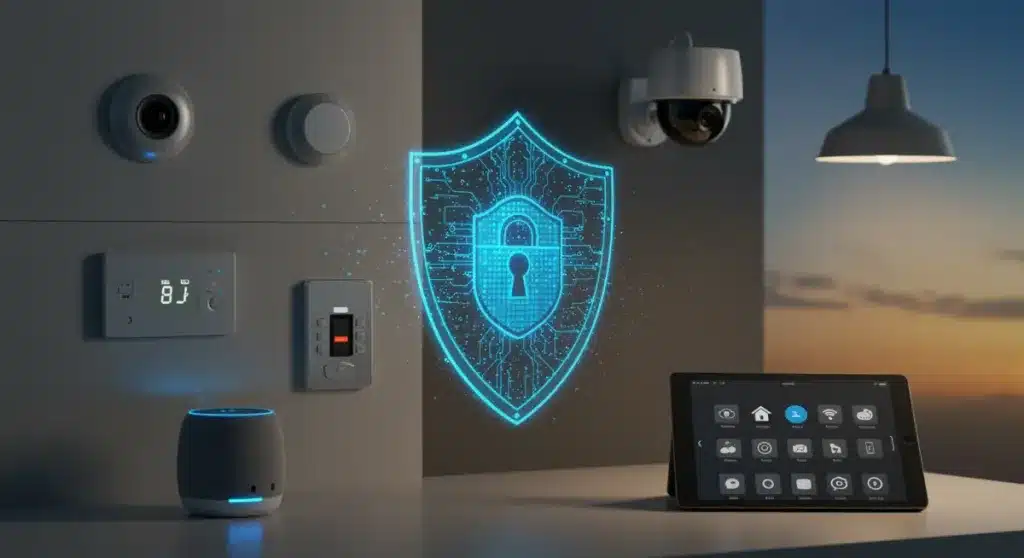
Your home is smarter than ever before. From voice assistants to connected thermostats, smart TVs to security cameras, the average American household now contains dozens of internet-connected devices. While these gadgets make life more convenient, they also create new entry points for cybercriminals looking to steal data, hijack devices, or infiltrate your personal life. Understanding how to secure your smart devices from cyber threats is no longer optional—it is essential for protecting your privacy and financial well-being in an increasingly connected world.
Understanding the Smart Device Landscape
The proliferation of smart devices has transformed modern living in ways previous generations could not have imagined. Smart speakers respond to our commands, thermostats learn our preferences, and security systems allow us to monitor our homes from anywhere in the world. This convenience, however, comes with significant security implications that many users overlook when setting up their devices for the first time.
Each connected device in your home represents a potential vulnerability that hackers can exploit. Manufacturers frequently prioritize time-to-market over robust security features, leaving known vulnerabilities unpatched for months or even years. Criminals have grown increasingly sophisticated in their attacks, moving beyond simple password guessing to exploiting firmware weaknesses, intercepting unencrypted communications, and using compromised devices as launching points for larger attacks.
The stakes extend beyond individual device compromise. A breached smart device can serve as a gateway to your entire home network, giving attackers access to personal computers, financial data, and sensitive communications. In some cases, compromised devices have been recruited into botnets used for distributed denial-of-service attacks, meaning your gadgets could be weaponized against others without your knowledge.
Common Attack Vectors
- Default credentials left unchanged during setup
- Outdated firmware with known security flaws
- Unencrypted communications between devices and servers
- Weak or reused passwords across multiple devices
- Untrusted third-party applications and skills
Understanding these vulnerabilities is the first step toward protecting yourself. The good news is that implementing basic security practices can defend against the majority of common attacks targeting smart home devices.
Securing Your Home Network
Your home network serves as the foundation for all your smart device communications. When properly secured, it creates a protective barrier between your devices and potential attackers. When neglected, it becomes a highway for unauthorized access that criminals can exploit with relative ease.
Begin by examining your router, the central hub connecting all your devices to the internet. Most routers come with default network names and passwords that are widely known and easily looked up online. Changing these defaults immediately upon setup is one of the most impactful security measures you can take. Choose a network name that does not reveal your identity or address, and create a strong password using a mix of uppercase letters, lowercase letters, numbers, and special characters.
Modern routers offer guest network capabilities that allow you to isolate visitor devices from your primary network. When friends or family members visit and want to connect to the internet, directing them to a guest network prevents their potentially compromised devices from accessing your personal data or smart home hubs. This separation adds a meaningful layer of protection without significant inconvenience.
Network Security Best Practices
- Enable WPA3 encryption on your router
- Change default administrator credentials immediately
- Disable WPS (WiFi Protected Setup) functionality
- Regularly review connected devices and remove unknowns
- Consider network segmentation for high-risk devices
Keeping your router firmware updated is equally important. Manufacturers release security patches to address newly discovered vulnerabilities, but these updates only help if you actually install them. Most modern routers support automatic updates—enable this feature if available, and manually check for updates monthly if not. This small investment of time can prevent major security breaches down the line.
Device-Specific Security Measures
While network security provides a crucial foundation, individual devices require their own protective measures. Different types of smart devices present unique vulnerabilities and require tailored approaches to security. Understanding these distinctions helps you allocate your security efforts effectively.
Smart speakers and voice assistants listen constantly, processing voice commands and often storing interaction history. Review and delete this history regularly, and consider muting the microphone when not actively using the device. Disable unnecessary skills or integrations that request excessive permissions, and opt for devices from manufacturers with strong privacy track records.
Smart cameras and doorbells present particularly sensitive security considerations because they record visual and audio data from inside and around your home. These devices should always use two-factor authentication, be positioned carefully to avoid capturing neighbors’ property, and have footage stored securely, whether locally or in encrypted cloud storage. Regularly review access logs to identify any unauthorized attempts to view your camera feeds.
Smart TVs and streaming devices have evolved into sophisticated computers capable of browsing the internet and running applications. Treat them as you would a computer when it comes to security—only install apps from trusted sources, be cautious about granting permissions to microphones or cameras, and consider covering the built-in camera when not in use. Review privacy settings periodically as manufacturers frequently update these interfaces.
Quick Security Checklist by Device Type
- Smart speakers: Disable voice purchasing, review recording history
- Security cameras: Enable two-factor authentication, check access logs
- Smart TVs: Cover cameras, limit app permissions, disable ACR
- Smart thermostats: Use unique passwords, review automation rules
- Smart locks: Maintain physical key access, monitor battery levels
Taking a device-by-device approach ensures comprehensive coverage without becoming overwhelmed. Spend an evening going through each device systematically, and you will significantly improve your overall security posture.
The Critical Role of Software Updates
Software updates frequently receive a reputation as annoying interruptions—pop-ups demanding attention at inconvenient moments, delaying the content you want to access. This perception obscures their genuine importance, particularly for smart devices where updates often contain critical security patches addressing newly discovered vulnerabilities.
Manufacturers regularly discover security flaws in their products after release, whether through internal research, bug bounty programs, or active exploitation in the wild. When these vulnerabilities become public, criminals move quickly to develop exploits targeting unpatched devices. The window between vulnerability disclosure and patch availability can be measured in days or weeks, making prompt updates essential.
Many smart devices now support automatic updates, removing the burden of manual installation. Enable this feature wherever available, but remain aware that some devices may require manual intervention for major updates or security patches. Create a monthly reminder to check for updates on devices that do not support automatic updates, including older smart speakers, certain cameras, and some automation hubs.
Beyond the devices themselves, remember to update the smartphone applications used to control them. These apps frequently contain vulnerabilities that could allow attackers to intercept communications between your phone and your devices. Keeping applications updated ensures these potential entry points remain sealed.
Authentication and Access Management
Strong authentication represents your first line of defense against unauthorized access to smart devices. Yet many users undermine this protection by using weak passwords, reusing credentials across multiple devices, or skipping additional verification steps entirely. Improving authentication practices requires relatively small investments of time and effort while delivering substantial security improvements.
Creating unique, complex passwords for each device prevents credential stuffing attacks where criminals use leaked passwords from one service to access accounts on other platforms. Password managers excel at generating and storing these unique credentials, eliminating the need to memorize dozens of complex strings. Most password managers can integrate with smartphone browsers and provide convenient autofill capabilities.
Two-factor authentication adds a critical second verification layer beyond passwords. Even if an attacker somehow obtains your password, they cannot access your account without the second factor—typically a code sent to your phone or generated by an authenticator app. Enable two-factor authentication on every smart device and service that supports it, prioritizing accounts controlling sensitive functions like security cameras, smart locks, and financial applications.
Building Strong Authentication Habits
- Use password managers to generate and store unique passwords
- Enable two-factor authentication on all supported devices
- Avoid password recovery questions that use publicly available information
- Consider hardware security keys for high-value accounts
- Regularly audit accounts and remove unused devices
Account recovery processes can sometimes provide alternative paths for attackers. Review recovery options for your most important accounts and ensure recovery email addresses and phone numbers remain current. Remove outdated phone numbers or email addresses that might fall into the hands of future occupants or third parties.
Monitoring and Maintaining Security
Security is not a one-time configuration but an ongoing process requiring regular attention and adjustment. New threats emerge constantly, manufacturers release updates addressing evolving vulnerabilities, and your device ecosystem grows over time. Building sustainable monitoring habits ensures your security measures remain effective as circumstances change.
Most smart home platforms provide activity logs showing device usage, connection attempts, and authentication events. Review these logs periodically to identify unusual activity—multiple failed login attempts, connections from unfamiliar locations, or devices activating at unexpected times can indicate compromise attempts. Many platforms also support alerts for suspicious activity, providing notifications when potential threats arise.
Periodically auditing your device inventory helps maintain awareness of your attack surface. Remove devices no longer in use, as these often become forgotten and unmaintained, presenting potential vulnerabilities. When adding new devices, follow security best practices from the start rather than deferring configuration. Building security into device setup prevents dangerous oversights.
Consider the physical security of devices as well. Smart speakers and displays positioned near windows could potentially be manipulated remotely to eavesdrop on conversations. Security cameras with outdoor exposure should be verified as tamper-resistant. These physical considerations complement digital security measures to create comprehensive protection.
Emerging Threats and Future Protection
The smart device landscape continues evolving rapidly, with new product categories emerging and existing devices gaining capabilities that introduce fresh security considerations. Staying informed about emerging threats helps you anticipate and address vulnerabilities before they become serious problems.
Artificial intelligence integration in consumer devices presents both opportunities and challenges. AI-powered devices can better recognize user patterns and detect anomalies suggesting compromise, but they also process vast amounts of personal data requiring careful privacy consideration. Understanding how your devices use AI and what data they collect helps you make informed decisions about their placement and usage.
Matter, the new smart home standard designed to improve device interoperability, promises easier setup and broader compatibility. However, this unified approach also means security vulnerabilities could potentially affect a wider range of devices. As Matter adoption accelerates, staying current on security updates from participating manufacturers becomes increasingly important.
Preparing for Future Security Challenges
- Research security practices before purchasing new device categories
- Prioritize devices from manufacturers with strong security track records
- Stay informed about industry security standards and certifications
- Plan for device lifecycles including manufacturer support commitments
- Consider security implications when expanding smart home ecosystems
Building security awareness as a habit rather than a one-time project ensures ongoing protection. The time invested in securing your smart devices pays dividends in peace of mind and protection against the increasingly sophisticated threats targeting consumer technology.
| Security Measure | Key Action |
|---|---|
| Network Security | Enable WPA3, change defaults, enable automatic updates |
| Device Authentication | Use unique passwords, enable two-factor authentication |
| Software Maintenance | Install updates promptly, enable automatic updates |
| Ongoing Monitoring | Review activity logs, audit devices, remove unused accounts |
Frequently Asked Questions
Check for firmware updates monthly for devices without automatic updates, and immediately install any security-related patches. Enable automatic updates whenever possible to ensure consistent protection without manual intervention.
Enabling two-factor authentication provides the most significant security improvement across device types. Even if passwords become compromised through data breaches or phishing attempts, two-factor authentication prevents unauthorized access.
Yes, compromised devices may operate normally while silently transmitting data or participating in attacks. Regularly review network traffic patterns and device behavior for unusual activity that might indicate compromise.
Creating a guest network or VLAN for smart devices isolates them from computers containing sensitive data. This segmentation limits potential damage if any single device becomes compromised.
Watch for unexpected behavior like unusual network activity, devices responding slowly, unknown devices appearing in connection logs, or unexpected changes to settings. Unusual data usage spikes may also indicate unauthorized access.
Conclusion
Securing your smart devices from cyber threats requires consistent attention but remains achievable through practical, systematic approaches. By securing your network, maintaining updated software, implementing strong authentication, and monitoring activity, you significantly reduce the risk of compromise. The convenience these devices provide need not come at the expense of your security. Take the time to review your current setup, implement the measures discussed, and enjoy the benefits of smart technology with appropriate protection for your digital life.
