
Ads
Ads
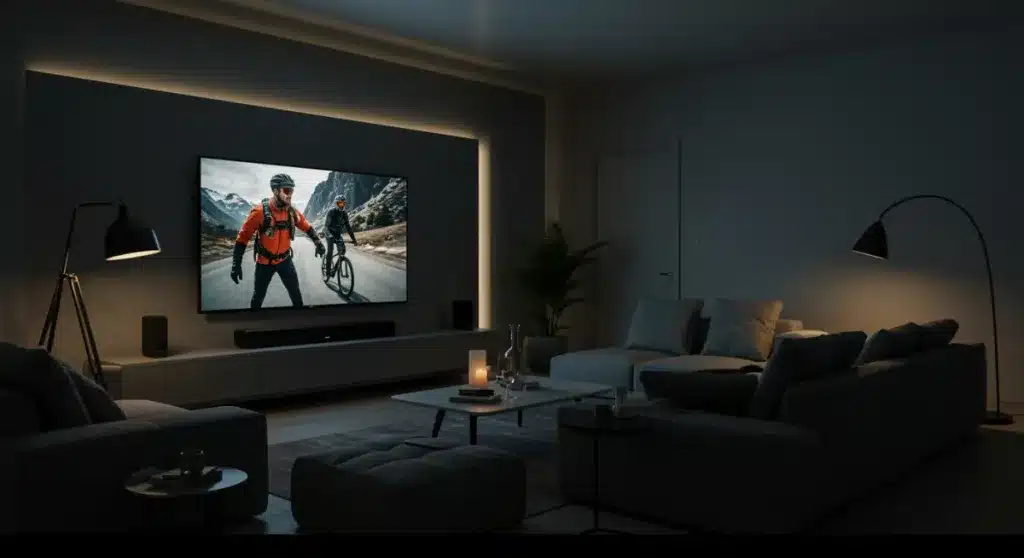
Building a professional home theater setup for under $1000 requires careful selection of a quality 4K TV, sound system, streaming devices, and acoustic treatments to maximize your viewing experience without exceeding your budget.
Ads
Transforming your living room into a cinematic retreat doesn’t require a second mortgage. With careful planning and strategic purchases, you can achieve a Home Theater Setup that rivals commercial theaters for under $1000. This guide walks you through every component you need, from the display to the acoustics, ensuring you get maximum value for every dollar spent.
Understanding Your Space and Budget
Before diving into equipment purchases, you need to assess your room and establish a realistic budget. The dimensions of your space directly influence the size of the display you should buy and the power requirements of your audio system. A small bedroom calls for different specifications than a spacious basement theater.
Start by measuring your viewing distance. Industry guidelines suggest that optimal viewing distance ranges from 1.2 to 2.5 times your screen’s diagonal measurement. For a 55-inch television, this means sitting between 5.5 and 11.5 feet away. This calculation helps you avoid purchasing a screen that’s too large for your space or one that fails to deliver an immersive experience.
Defining Your Budget Allocation
Most experts recommend splitting your budget with 40-50% allocated to the display, 25-35% to audio, and the remaining 20-30% for streaming devices, cables, and accessories. This distribution ensures you prioritize the two most impactful components for visual and auditory excellence.
- Display (TV): $400-$500
- Audio System: $250-$350
- Streaming Devices: $50-$100
- Cables and Accessories: $50-$100
Sticking to this allocation prevents the common mistake of overspending on one category while neglecting others. A premium television paired with weak speakers creates an unbalanced experience that diminishes overall enjoyment.
Choosing the Right Display
The television serves as the centerpiece of your Home Theater Setup, and selecting the right one requires balancing size, picture quality, and smart features. For a budget under $1000, you have access to excellent 4K televisions that deliver stunning visuals without breaking the bank.
Look for displays featuring HDR (High Dynamic Range) support, as this technology significantly enhances contrast and color accuracy. HDR10 remains the industry standard, while Dolby Vision offers even better performance on supported content. Refresh rates of 60Hz work well for most viewing, though 120Hz panels provide smoother motion for sports and gaming enthusiasts.
Panel Types and Considerations
LED-LCD panels dominate the budget category, offering reliable performance at accessible price points. OLED displays deliver superior picture quality with true blacks and infinite contrast, but they typically exceed the $1000 threshold for larger sizes. For your budget, a quality LED-LCD with local dimming provides excellent value.
- Resolution: 4K Ultra HD (3840 x 2160)
- HDR Support: HDR10 minimum, Dolby Vision preferred
- Smart TV Platform: Roku TV, Google TV, or Amazon Fire TV
- Refresh Rate: 60Hz standard, 120Hz for motion-heavy content
Consider purchasing from brands known for reliability and customer support. Brands like TCL, Hisense, and Samsung offer budget-friendly options with strong feature sets. These manufacturers often include popular smart platforms directly in the television, eliminating the need for external streaming devices.
Audio System Essentials
While the visual component captures attention, audio creates the emotional connection that makes theater experiences memorable. A quality sound system transforms ordinary viewing into immersive entertainment, revealing dialogue clarity, subtle sound effects, and powerful bass responses that flat-panel speakers cannot reproduce.
Soundbars represent the best value for budget-conscious setups. They combine multiple speakers in a single unit, delivering virtual surround sound without the complexity and cost of traditional multi-speaker systems. Most soundbars include a wireless subwoofer that handles low-frequency effects, adding depth to explosions, music, and ambient sounds.
Soundbar vs. Traditional Speakers
For a Home Theater Setup under $1000, soundbars provide the best balance of performance and simplicity. Premium soundbars like the Samsung HW-Q800T or Sony HT-G700 offer virtual Dolby Atmos support, creating height effects without ceiling speakers. These models typically cost between $250 and $450, leaving room in your budget for other components.
- Channel Configuration: 3.1 for basic setups, 5.1 for enhanced immersion
- Subwoofer: Wireless connection preferred for placement flexibility
- Connectivity: HDMI ARC, optical input, Bluetooth
- Audio Formats: Dolby Digital, Dolby Atmos support
If you prefer traditional speaker setups, consider starting with a basic 5.1 channel receiver and speaker package. However, this approach often requires more budget for receivers and wiring, making soundbars the smarter choice for most viewers seeking simplicity and value.
Streaming Devices and Content Sources
Even the finest display and audio system means nothing without quality content to enjoy. Modern streaming devices transform your television into a comprehensive entertainment hub, providing access to movies, television shows, music, and gaming through numerous services.
If your television includes a smart platform, you might skip external devices entirely. However, dedicated streaming sticks and boxes often provide smoother interfaces, faster performance, and broader app selections. The major platforms include Roku, Amazon Fire TV, Apple TV, and Google Chromecast, each offering unique strengths.
Evaluating Streaming Platform Features
Roku devices excel with their intuitive interface and extensive channel selection, including numerous free streaming options. Amazon Fire TV integrates seamlessly with Prime Video subscribers and offers voice control through Alexa. Apple TV provides premium build quality and integration with Apple devices, while Google Chromecast offers excellent value with Google TV’s modern interface.
- Roku Streaming Stick 4K+: Excellent interface, vast channel library
- Amazon Fire TV Stick 4K Max: Strong Prime integration, Alexa voice control
- Apple TV 4K: Premium hardware, ecosystem integration
- Google TV Chromecast: Value option, smart recommendations
Consider your existing subscriptions and preferences when selecting a platform. If you already subscribe to multiple streaming services, ensure your chosen device supports all of them before making a purchase decision.
Seating and Room Acoustics
Comfortable seating and proper acoustics often go overlooked in budget Home Theater Setup planning, yet these elements significantly impact your viewing experience. After investing in quality visual and audio components, neglecting your seating and room environment diminishes the overall effect.
Acoustic treatments don’t require expensive professional installations. Simple additions like thick curtains, carpeting, and wall art absorb excess sound reflections, reducing echo and improving dialogue clarity. Position your primary seating at the optimal distance from the screen, typically within the viewing angle recommendations discussed earlier.
DIY Acoustic Solutions
For under $100, you can implement several acoustic improvements. Heavy curtains on windows reduce outside noise and prevent sound leakage. Area rugs on hardwood floors minimize footstep sounds and reflections. Bookcases and wall-mounted panels add visual interest while breaking up sound waves.
- Heavy curtains: $30-$50 for standard windows
- Area rug: $50-$150 depending on size
- Acoustic foam panels: $20-$40 for basic sets
- Wall art and bookshelves: Variable, use existing items
For seating, consider recliners designed for home theater use if your budget allows. Otherwise, arrange your existing furniture to optimize viewing angles. Ensure everyone has a clear sightline to the screen without neck strain.
Connecting and Calibrating Your System
Proper connection and calibration transform separate components into a cohesive entertainment system. Taking time to configure settings correctly ensures you’re experiencing your equipment’s full potential rather than settling for mediocre performance.
Begin by connecting your streaming device to the television using HDMI cables. Most modern devices support HDMI ARC (Audio Return Channel), which allows the television to send audio back to your soundbar through the same cable. This setup eliminates the need for separate audio connections and enables remote control of both devices.
Calibration Steps for Optimal Picture
Most televisions include multiple picture modes optimized for different content types. Movie or Cinema modes typically provide the most accurate colors, while Sports and Game modes prioritize motion handling. Spend time adjusting brightness, contrast, and backlight settings to match your room’s lighting conditions.
- Picture Mode: Start with Movie/Cinema for accurate colors
- Brightness: Adjust to see detail in dark scenes
- Contrast: Set for visible highlight detail
- Backlight: Match to your room’s ambient light
For audio, most soundbars include calibration microphones that automatically optimize settings for your room. Run these calibration routines if available, or manually adjust the subwoofer level to provide bass without overwhelming dialogue. The goal is clear dialogue with impactful but controlled bass response.
Final Touches and System Maintenance
With all components connected and calibrated, your Home Theater Setup is ready for enjoyment. However, maintaining optimal performance requires occasional attention to cables, software updates, and cleaning. These small maintenance tasks ensure your system continues performing at its best for years to come.
Organize cables neatly to prevent interference and make future troubleshooting easier. Use cable ties or conduits to bundle wires behind your television stand. Check connections periodically, as HDMI cables can loosen over time from vibrations or cleaning.
Ongoing Maintenance Practices
Keep your television and soundbar dust-free using soft, dry cloths. Avoid harsh chemicals that might damage screen coatings or speaker grilles. Check for firmware updates quarterly, as manufacturers frequently release improvements for picture quality, audio performance, and smart platform features.
- Dust components monthly with microfiber cloths
- Check firmware updates every three months
- Verify cable connections quarterly
- Clean ventilation ports to prevent overheating
Consider investing in a surge protector to shield your equipment from power fluctuations. Power surges can damage sensitive electronics, and a quality surge protector provides peace of mind during storms or electrical issues.
| Component | Budget Recommendation |
|---|---|
| 4K Television | $400-$500 for 55-inch HDR smart TV |
| Sound System | $250-$350 for quality soundbar with subwoofer |
| Streaming Device | $40-$100 for 4K streaming stick or box |
| Accessories | $50-$100 for cables, surge protector, basic acoustics |
Frequently Asked Questions
Yes, building a professional-quality home theater setup for $1000 is achievable by prioritizing a 4K HDR television in the $400-500 range, a soundbar with wireless subwoofer around $250-350, and allocating the remaining budget for streaming devices and necessary cables. The key is balancing component quality rather than overspending on any single element.
For most living rooms, a 55-inch television provides an excellent balance between screen size and budget. This size fits comfortably in spaces with viewing distances between 5-11 feet and falls within the budget sweet spot for 4K HDR models. Larger 65-inch options exist but often require sacrificing picture quality features to stay under budget.
Most modern smart TVs include capable streaming platforms, so a separate device isn’t strictly necessary. However, dedicated streaming sticks often provide smoother performance, more frequent updates, and broader app selections. If your TV’s smart platform feels sluggish or lacks your preferred apps, a $40-$50 streaming device significantly improves the experience.
Dolby Atmos adds overhead sound effects that create a more immersive experience, but it’s not essential for enjoying movies. Basic soundbars without Atmos still deliver substantial improvements over television speakers. If Atmos matters to you, expect to spend closer to $350-$450, while non-Atmos options around $200-$250 provide excellent value for most viewers.
Start with heavy curtains on windows to reduce outside noise and prevent sound reflection. Add an area rug if you have hardwood floors to minimize echo. Bookcases and wall art break up sound waves naturally. These simple additions cost under $100 total and significantly improve audio clarity without professional installation.
Conclusion
Creating a professional Home Theater Setup for under $1000 requires thoughtful component selection and proper system integration, but the results justify the effort. By allocating your budget strategically across a quality 4K television, a capable soundbar, streaming devices, and basic acoustic treatments, you transform any room into an immersive entertainment space. Remember that the best system fits your specific needs and space, so take measurements before purchasing and prioritize the components that most impact your viewing preferences. With the right approach, your home theater delivers years of cinematic enjoyment without straining your finances.
