
Ads
Ads
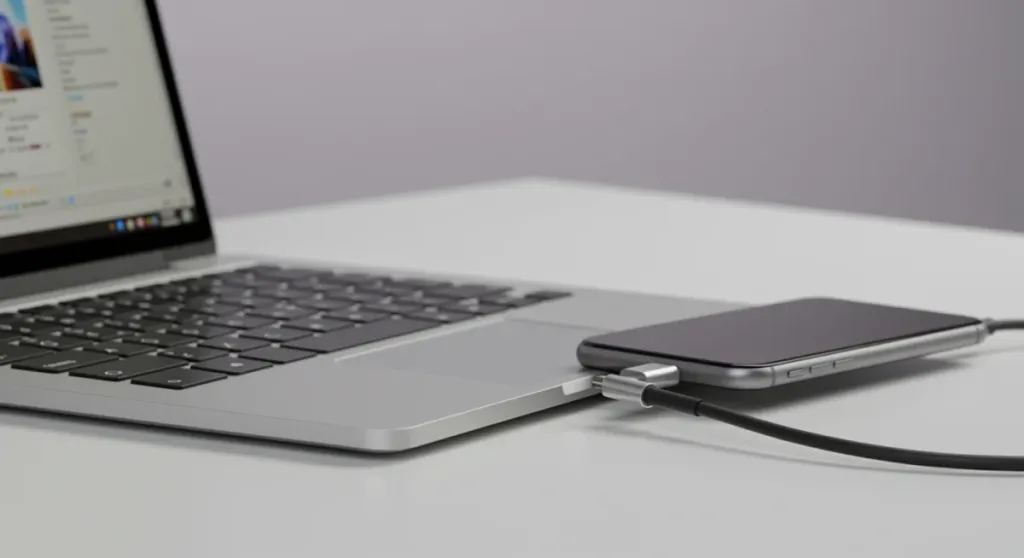
USB-C with Power Delivery combines fast charging up to 100W with high-speed data transfer, creating a universal standard that simplifies connectivity across devices while enabling rapid power delivery through intelligent negotiation between host and peripheral.
Ads
If you have ever fumbled with a USB cable trying to figure out which way it goes, or struggled to find the right charger for your laptop, you are not alone. The USB-C Power Delivery standard arrived to solve exactly those frustrations while bringing unprecedented capabilities to your devices. This technology goes far beyond the simple charging cable you might expect, offering a complete ecosystem that handles everything from powering laptops to transferring 4K video content.
What is USB-C and Why It Matters
USB-C, formally known as USB Type-C, represents the most significant evolution in universal serial bus connectivity since the original USB standard debuted in the mid-1990s. Unlike its predecessors, USB-C features a symmetrical, reversible connector that eliminates the frustration of trying to insert a cable the wrong way. The oval-shaped port measures just 8.4mm by 2.6mm, making it remarkably compact while maintaining durability designed to withstand thousands of connection cycles.
The significance of USB-C extends well beyond its physical design. This connector carries the USB 3.2 or newer specifications, enabling data transfer rates that were previously impossible with older USB standards. More importantly, when combined with the Power Delivery protocol, USB-C becomes a true one-cable solution capable of charging devices ranging from tiny wireless earbuds to power-hungry gaming laptops.
Key USB-C Physical Characteristics
- Reversible design works in either orientation
- Compact 8.4mm by 2.6mm connector size
- Durable construction rated for 10,000+ insertion cycles
- 24-pin configuration enabling advanced protocols
- Small footprint allows ultra-thin device designs
The 24-pin configuration within USB-C connectors enables multiple high-speed data lanes and power delivery channels that work simultaneously. This architectural choice separates USB-C from earlier USB versions, giving manufacturers flexibility to implement various protocols without compromising on power or data capabilities.
Understanding Power Delivery Protocol
The USB Power Delivery specification represents a sophisticated communication protocol that allows devices to negotiate optimal power levels dynamically. Rather than simply providing fixed voltage like traditional chargers, Power Delivery enables what is called power negotiation, where the connected devices exchange information about their power requirements and capabilities before establishing a charging relationship.
This intelligent negotiation happens through dedicated pins in the USB-C connector that carry CC (Configuration Channel) signals. When you connect a USB-C cable, the devices immediately begin communicating to determine the safest and fastest possible charging scenario. A smartphone might request 18W, while a laptop could negotiate for 65W or even 100W depending on its power adapter capabilities.
Power Delivery Voltage and Current Combinations
- 5V at 3A (15W) for basic smartphone charging
- 9V at 3A (27W) for fast-charging smartphones
- 15V at 3A (45W) for tablets and ultrabooks
- 20V at 5A (100W) for full laptop charging
- 20V at 5A (100W) with Extended Power Range for larger devices
The ability to deliver up to 100W transforms what we expect from USB charging. Previously, laptop users needed bulky power bricks specific to their machines. Now, a single well-designed USB-C charger with Power Delivery can handle a smartphone, tablet, and laptop sequentially or even simultaneously through a multi-port adapter. This flexibility proves especially valuable for travelers who want to minimize the cables and chargers they carry.
Safety remains paramount in the Power Delivery design. The protocol includes built-in protections against overcurrent, overvoltage, and overtemperature conditions. The intelligent negotiation ensures that a device never receives more power than it can safely handle, making USB-C Power Delivery remarkably safe when using compliant cables and chargers from reputable manufacturers.
USB-C Data Transfer Speeds Explained
USB-C supports multiple generations of USB protocols, with the most common implementations offering either USB 3.2 Gen 1 (5Gbps), USB 3.2 Gen 2 (10Gbps), or USB 3.2 Gen 2×2 (20Gbps) data transfer rates. These speeds far exceed what most users experienced with USB-A ports, making external storage solutions using USB-C remarkably performant.
Beyond traditional USB protocols, USB-C also supports alternative modes that enable even more specialized connections. Thunderbolt 3 and Thunderbolt 4, which use USB-C connectors, provide 40Gbps bandwidth capable of driving dual 4K displays or connecting external graphics cards. DisplayPort Alternate Mode allows USB-C to carry video signals directly to compatible monitors using a single cable that handles both display output and power delivery.
USB-C Data Transfer Standards
- USB 2.0 (480Mbps) for basic peripherals and charging
- USB 3.2 Gen 1 (5Gbps) equivalent to USB 3.0
- USB 3.2 Gen 2 (10Gbps) for fast external storage
- USB 3.2 Gen 2×2 (20Gbps) for maximum performance
- Thunderbolt 3/4 (40Gbps) for professional workflows
The distinction between these speeds matters most when transferring large files or working with external storage devices. Connecting a fast external SSD via a USB 3.2 Gen 2×2 port can achieve transfer speeds approaching internal drive performance, making USB-C an increasingly viable option for professional video editors who need portable high-speed storage solutions.
USB-C vs Other Ports: A Comparison
Understanding how USB-C compares to other common ports helps clarify its advantages and limitations. The traditional USB-A port remains widespread on older devices and accessories, but it lacks the reversibility and power delivery capabilities that make USB-C so versatile. USB-A also tops out at 10Gbps with USB 3.2 Gen 2, whereas USB-C can reach 20Gbps or 40Gbps with the right hardware.
Apple’s Lightning connector, used on iPhones and iPads, shares USB-C’s reversible design but operates on different protocols and offers significantly lower power delivery capabilities. While Lightning maxes out around 30W with appropriate adapters, USB-C Power Delivery reaches 100W. The two standards are not directly compatible without adapters, though Apple has begun transitioning iPad models to USB-C.
Port Comparison Overview
- USB-C offers reversible design vs USB-A’s orientation-dependent insertion
- Power Delivery reaches 100W vs USB-A’s 15W maximum
- USB-C supports 40Gbps vs USB-A’s 10Gbps maximum
- USB-C enables video output via Alt Mode
- USB-C provides bi-directional power flow capability
One often-overlooked advantage of USB-C is bidirectional power flow. A laptop with USB-C ports can either receive power through those ports or supply power to other devices like smartphones or tablets. This flexibility, called USB Power Delivery Reverse, transforms a laptop into a portable power bank for other gadgets, a capability unavailable with older USB standards.
Common USB-C Cables and Their Uses
Not all USB-C cables are created equal, and understanding the differences prevents frustration and potential damage. Cable quality varies significantly, with some cables supporting only USB 2.0 data rates while others handle Thunderbolt 4 speeds. Similarly, power delivery capabilities range from basic 15W cables to those capable of carrying 100W at 5A current.
When selecting USB-C cables, checking the specifications matters more than trusting appearance. A cable might look perfectly capable but lack the required pins for full Power Delivery or high-speed data transfer. Cable certification programs exist to help consumers identify cables that meet USB-IF standards, though many budget cables operate without official certification.
Types of USB-C Cables
- USB 2.0 cables (480Mbps, 15W) for basic charging and data
- USB 3.2 Gen 1 cables (5Gbps, 15W-60W) for general use
- USB 3.2 Gen 2 cables (10Gbps, 100W) for fast data and charging
- Thunderbolt 3 cables (40Gbps, 100W) for professional connectivity
- E-marked cables required for 5A current and high-speed data
The presence of an electronic marker chip, known as E-marker, distinguishes cables designed for high-power or high-speed applications. These chips identify the cable’s capabilities to connected devices, enabling proper negotiation of power delivery levels and data protocols. Cables rated for 5A current (necessary for 100W Power Delivery) must include E-marker chips to function correctly.
Troubleshooting USB-C Connections
Even with USB-C’s improved design, connection issues occasionally arise. The most common problems include devices refusing to charge, data transfers failing, or displays not appearing on external monitors. Systematic troubleshooting helps identify whether the issue stems from cables, ports, or software configurations.
Start troubleshooting by verifying cable capabilities. A cable that works perfectly for charging might lack the bandwidth needed for data transfer or video output. Testing with different cables, preferably ones known to work in similar scenarios, isolates whether the cable itself represents the problem. Similarly, trying the same cable with different devices confirms whether the issue is device-specific or cable-related.
Common USB-C Issues and Solutions
- Device not charging: Try different charger, cable, or port
- Slow data transfer: Use higher-rated cable and ports
- No video output: Enable DisplayPort Alt Mode in settings
- Device not recognized: Update drivers or try different port
- Charging stops unexpectedly: Check for cable quality issues
Software updates frequently resolve USB-C issues, particularly on computers. Operating system updates often include improved power delivery management and data transfer optimizations. Checking manufacturer websites for firmware updates on specific devices, especially docking stations and external monitors, addresses compatibility issues that might not appear in general operating system updates.
The Future of USB-C Technology
USB-C continues evolving with new specifications that expand its capabilities. USB4, built on Thunderbolt 3 architecture, brings 40Gbps bandwidth to more devices at lower cost points. The latest USB Power Delivery 3.1 specification introduces Extended Power Range capable of delivering up to 240W, opening possibilities for charging gaming desktops and other high-power devices through USB-C.
Regulatory pressure in Europe and elsewhere is accelerating USB-C adoption as a mandatory standard for device charging. This regulatory direction promises greater compatibility across devices, reducing electronic waste from obsolete chargers while simplifying the consumer experience. The transition period will take years, but the long-term outlook points toward USB-C becoming the definitive universal connection standard.
Emerging USB-C Developments
- USB4 brings 40Gbps to mainstream devices
- Power Delivery 3.1 enables 240W charging
- USB-C becoming mandatory in European markets
- Increased adoption in gaming and professional equipment
- Improved Alt Mode support for video connectivity
The ecosystem around USB-C expands continuously, with more devices and accessories supporting this versatile standard. Docking stations, external storage solutions, and display connections increasingly default to USB-C, making it the natural choice for new equipment purchases. Understanding USB-C Power Delivery and its capabilities positions you to take full advantage of this transformative technology as it becomes ubiquitous across all your devices.
| Feature | Description |
|---|---|
| Power Delivery | Intelligent negotiation up to 100W (240W with EPR) |
| Data Speed | Up to 40Gbps with Thunderbolt 3/4 and USB4 |
| Connector | Reversible 24-pin design, 8.4mm x 2.6mm |
| Alt Modes | DisplayPort, HDMI, Thunderbolt supported |
Frequently Asked Questions
Not all USB-C cables support laptop charging. You need a cable rated for the power requirements of your specific laptop, typically 65W or higher. Look for cables specifically marketed as supporting Power Delivery and check that they handle the required current (3A for 45W, 5A for 100W).
Slow charging usually results from using an underpowered charger or a cable with limited current capacity. Your charger must support the power delivery protocol your device requires. Using a phone charger on a laptop will result in slow charging or no charging at all. Verify both your charger and cable meet your device’s power requirements.
USB-C ports can work with USB-A devices through appropriate adapters or cables. However, data transfer speeds and power delivery capabilities will be limited by the older standard. A USB-C to USB-A adapter allows physical connection but cannot magically increase performance beyond what the older port supports.
Using quality, certified USB-C cables and chargers from reputable manufacturers is safe. The Power Delivery protocol includes protections preventing damage from incompatible power levels. However, cheap, poorly made cables without proper certifications can potentially cause damage, making it wise to invest in reliable accessories.
Thunderbolt uses the same physical USB-C connector but adds dedicated protocols for higher performance. Thunderbolt 3 and 4 offer 40Gbps bandwidth, compared to the 20Gbps maximum of standard USB-C. Thunderbolt also supports more daisy-chained devices and includes native external graphics card support, making it preferred for professional workflows.
Conclusion
USB-C with Power Delivery represents a fundamental shift in how we connect and power our devices. What started as a simpler, reversible connector has evolved into a comprehensive ecosystem capable of handling power delivery up to 100W, data transfer speeds reaching 40Gbps, and video output through various Alt Modes. Understanding these capabilities helps you make informed decisions about cables, chargers, and devices while taking full advantage of this versatile standard. As adoption continues accelerating and new specifications bring even more power, USB-C is poised to become the single connection standard that rules all your devices.
