
How thermostat compatibility checkers work before you buy
Ads
A smart thermostat compatibility checker evaluates your heating and cooling wiring configuration against a device's electrical and software requirements before you make a purchase. The software compares the specific terminal labels on your current thermostat backplate with the voltage ranges, relay switches, and power supplies built into modern connected devices.
Ads
This tool helps homeowners and tenants avoid purchasing equipment that cannot control their furnace, air conditioner, or heat pump, but it relies entirely on the user entering exact terminal labels rather than relying on wire colors. Understanding what these digital checkers inspect helps you gather the correct details from your wall before spending money on new smart hardware.
Ads
The electrical difference between low-voltage and line-voltage systems
The primary gatekeeper in any thermostat compatibility checker is system voltage. Central heating and cooling systems in the United States overwhelmingly operate on low-voltage electricity, standardizing around 24 volts of alternating current. This power is stepped down from household line current by a dedicated transformer located inside your furnace or air handler. Most consumer smart thermostats from brands like Google Nest, Ecobee, and Honeywell Home are engineered exclusively for these 24-volt systems.
Conversely, older electric baseboard heaters, radiant ceiling heat, and select wall heaters run on line-voltage electricity, which operates at 120 volts or 240 volts. Connecting a standard low-voltage smart thermostat to a line-voltage system presents an immediate fire hazard and will destroy the unit instantly. Compatibility checkers prompt users to identify their system type right away to eliminate line-voltage setups from their compatible lists.
Signs of a line-voltage setup
- Thick copper wires joined behind the wall with plastic twist-on wire nuts rather than small screw terminals.
- Labels marked with high-voltage warnings or ratings stating 120 VAC or 240 VAC.
- Thermostats with dials located directly on an electric baseboard register rather than a central living room wall.
- Only two thick black, white, or red wires entering the back of the thermostat frame.
If a compatibility checker detects a line-voltage setup based on these answers, it will instruct you to stop and seek dedicated line-voltage smart controllers instead. Traditional smart models simply lack the heavy-duty mechanical relays needed to handle the substantial amperage drawn by resistive electric heat.
Why terminal letter codes matter more than wire colors
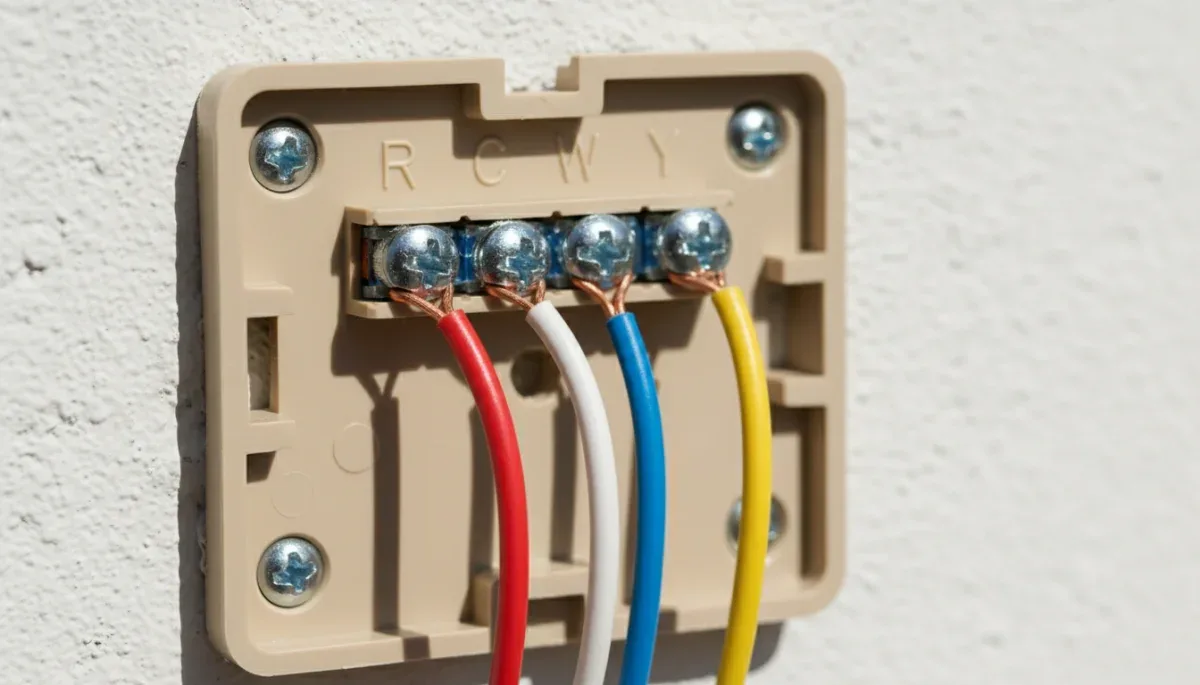
When you access an online thermostat compatibility tool, it asks you to check boxes corresponding to the letters stamped beside each active wire on your current wall plate. The single most common point of installation failure occurs when a user guesses function by the color of the insulation jacket on the wire. In residential electrical work, HVAC installers frequently use non-standard wire colors based on what multi-conductor spools were available in their service vans.
A compatibility checker relies on standard functional codes established by the HVAC industry rather than visual aesthetics. The letter R designates the 24-volt power coming from the transformer, which is often split into Rc for cooling and Rh for heating. The letter W signals the heating relay, Y operates the air conditioning compressor contactor, and G controls the indoor blower fan. When you check these boxes, the online algorithm verifies whether the new thermostat has internal switching pathways to operate each component independently.
Modern checkers also watch for duplicate or jumpered terminals. Older mechanical thermostats often feature a small bare metal jumper wire connecting the Rc and Rh terminals so a single transformer can run both heating and cooling. Modern smart units generally handle this connection via internal software or an automatic mechanical switch inside the baseplate. Compatibility checkers instruct you to disregard the jumper wire and record only the wires coming out of the wall cavity, preventing false incompatibility errors.
How the C-wire requirement alters your results
The common wire, universally designated by the letter C, is the central focus of modern thermostat assessment. In an older non-connected thermostat, power flows from the R terminal only when a switch closes to call for heat or cooling. A mechanical thermostat or simple battery-powered digital unit needs negligible electricity to function, so an open return circuit is acceptable. A smart thermostat, however, operates Wi-Fi radios, color digital displays, and continuous temperature logging processors that require uninterrupted 24-volt electricity.
The C wire completes the electrical circuit back to the furnace transformer, creating a constant power loop that does not trigger heating or cooling equipment. When you indicate to a compatibility tool that your wall plate lacks a wire attached to the C terminal, the software branches into alternative validation paths depending on the exact brand of smart thermostat under review.
Manufacturer approaches to missing C-wires
- Google Nest: Some models utilize power-sharing technology that pulses tiny amounts of current through heating or cooling circuits without turning equipment on, though official support notes this can cause pulsing or clicking in sensitive furnaces.
- Ecobee: Includes a Power Extender Kit in the retail box, and the checker will guide you to determine if your furnace control board has terminal screws to accept this modular adapter.
- Honeywell Home: Frequently flags missing common wires as incompatible unless an optional plug-in wall adapter or wire insertion module is purchased alongside the base kit.
If you enter your configuration without a C terminal and the checker approves the match, review the notes section on the results page carefully. The checker will frequently mandate an add-on accessory, meaning the total installation process will require accessing the main furnace circuit board in your attic, basement, or utility closet.
Identifying heat pump configurations and multi-stage equipment
Heat pump systems complicate compatibility checks because they share physical piping for both heating and cooling. Instead of running a furnace for heat and a compressor for cooling, a heat pump runs the compressor for both cycles and toggles a reversing valve to swap the flow of refrigerant. Compatibility checkers watch for terminals labeled O, B, or combined as O/B.
The software checker must confirm that the target smart thermostat has an operating profile for reversing valve logic. Equipment manufactured by Rheem and Ruud typically energizes the B terminal for heating, while most other brands energize the O terminal for cooling. If a user enters both an O and a B wire as separate physical connections, the checker will flag this as an irregular setup that often points to a proprietary or multi-zone commercial configuration.
Checkers also evaluate multi-stage heating and cooling capacity. If your existing baseplate shows W2, Y2, AUX, or E, your home uses staging to save energy during mild weather or relies on secondary electric resistance strips during deep winter freezes. Entry-level smart thermostats frequently offer only single-stage controls (one W and one Y), so checking multi-stage boxes on the tool will automatically disqualify those budget models and direct you to premium alternatives that support multi-stage staging logic.
Reading proprietary communicating systems and millivolt units
Two specialized HVAC architectures consistently generate rejection notices from digital compatibility engines: communicating systems and millivolt circuits. Communicating systems are high-efficiency installations where the outdoor compressor, indoor air handler, and wall thermostat share complex digital data rather than simple on-off electrical signals. These systems modulate compressor speeds in tiny increments to balance indoor humidity and temperature.
Instead of the typical R, C, W, and Y layout, communicating baseplates feature terminals labeled A, B, C, D, Data, or numbered 1, 2, 3, 4. When you input these designations into an independent or brand-specific compatibility checker, the algorithm will instantly report that the system is incompatible. Replacing a communicating thermostat with a conventional off-the-shelf smart device disrupts the digital conversation, forcing the system into basic single-speed operation or rendering it entirely inoperable.
Millivolt systems sit on the opposite end of the technological spectrum. Commonly found in freestanding gas fireplaces, gravity furnaces, and floor heaters, these setups do not use an electrical transformer. Instead, a pilot light warms a small component called a thermopile, which generates tiny amounts of direct current, usually around 750 millivolts. A thermostat compatibility checker will flag millivolt systems as incompatible because 750 millivolts of direct current is insufficient to power a modern connected device, which requires 24 volts of alternating current.
Safe inspection steps before entering data into a checker
To obtain reliable output from any online compatibility checker, you must collect raw physical data directly from your current wall plate. Rushing this initial step often leads to buying a device that cannot be wired safely. Prioritize physical safety and systematic documentation before opening your web browser.
- Shut off electrical power to your heating and air conditioning system at your primary home breaker box or the utility switch mounted beside the indoor unit.
- Pull the existing thermostat faceplate off its backplate to expose the wiring harness and terminal screws. Confirm that the display goes blank to ensure power is off.
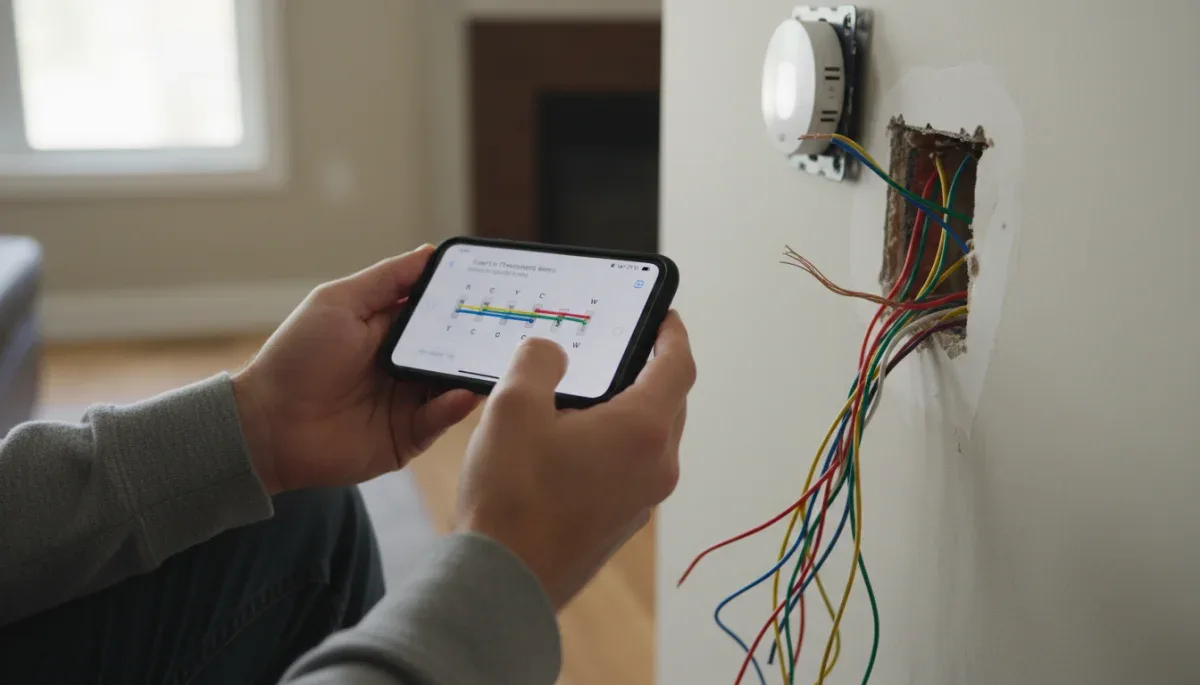
- Take a well-lit, clear photograph of the wiring terminals, ensuring the printed letters stamped on the plastic frame are legible alongside the wire connections.
- Inspect whether any terminal has two distinct wires inserted under one screw, which indicates dual-zone or auxiliary staging that requires special attention.
- Check behind the wall plate to see if extra, unused copper conductors are wrapped around the outer sheath, which could serve as a functional C wire without adding new lines.
Once you have this clear visual record, launch the compatibility checker provided by the manufacturer you are considering. Input only the active terminal connections that you confirmed with your photograph. If a label is faded or ambiguous, checking the corresponding terminal strip on the primary control board inside your furnace will provide the definitive reference point.
At a glance
| System Factor | What to Know |
|---|---|
| Voltage Type | Low-voltage (24VAC) works with most smart units; line-voltage (120/240V) requires specialized hardware. |
| C-Wire Status | Provides constant power; missing wires demand adapters, power extenders, or alternate models. |
| Terminal Labels | Letters dictate functionality; never determine wire function using insulation colors. |
| Communicating Systems | Proprietary data terminals (A/B/C/D) are incompatible with standard smart devices. |
Frequently asked questions
Can I use wire color instead of terminal letters in a compatibility checker?
No, you should never rely on wire color when using an online checker. HVAC installers often repurpose colored wires based on available supplies. Using the stamped letter beside the terminal screw is the only method that accurately reflects how your heating and cooling equipment receives electrical control signals.
What should I do if my current thermostat has two labels for one wire?
Consult the checker for your specific equipment type to pick the right column. Many baseplates feature dual labels, such as conventional labels on one side and heat pump labels on the other. Enter the heat pump designations only if your primary heating comes from an outdoor compressor unit.
Why does a compatibility checker say I need a C-wire adapter?
Smart thermostats need continuous low-voltage power to maintain Wi-Fi connections and power displays. If your wall lacks a dedicated common return wire, the checker flags the setup and recommends an adapter kit to deliver continuous power across your existing furnace control board without running new wall wiring.
Are electric baseboard heaters compatible with standard smart thermostats?
No, standard smart thermostats cannot handle the high electrical current of electric baseboard heaters. Baseboards operate on 120-volt or 240-volt line-voltage electricity, which will instantly destroy a low-voltage 24-volt smart thermostat. You must look for specialized line-voltage smart controllers designed for baseboard heating.
The bottom line
Thermostat compatibility checkers provide a dependable safeguard against purchasing the wrong climate control technology, saving you installation frustration and potential equipment damage. By validating your system voltage, verifying terminal designations, and determining continuous power availability, these online tools map your physical home setup against exact product limitations. Before buying any smart thermostat, turn off your breaker, remove the old faceplate, photograph the wiring labels, and run those specific letters through the official manufacturer checker.
Written by
Rita Lima
Rita Lima writes about news & benefits for netysphere.com. Each article explains how things work, compares published details such as prices, policies and program rules, and points readers to the official source before they decide.